Microsoft Confirms Windows 11 KB5120998 Update Messes With Mouse Cursor Settings
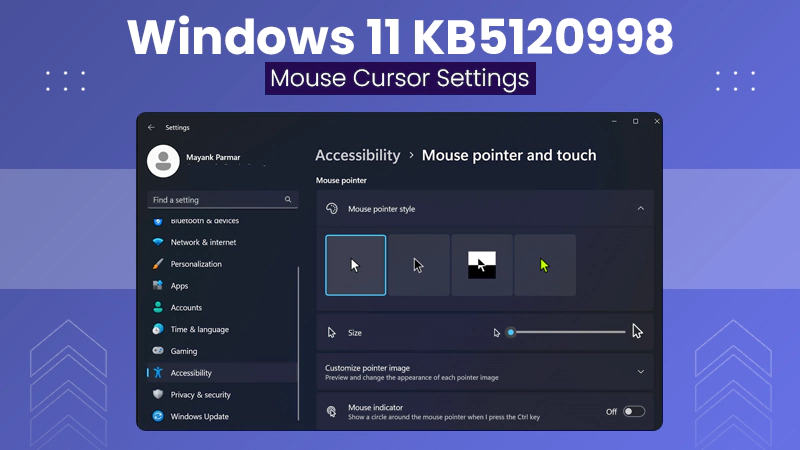
However, software updates are expected to be fun, bringing new features and improvements to an OS; in some instances, however, updates result in annoying bugs. As follows from the release of the optional update KB5120998 for Windows 11, which added the moveable taskbar and resizable start menu to Windows 11, many users have faced a new problem: broken settings of their mouse pointer.
Introduced on August 27, 2026, the cumulative preview update is reported to affect personalization of pointers. As users complain, custom schemes of pointers, size adjustment, and pointer animation are automatically restored to default values.
Moreover, high DPI settings lead to abnormal pointer size and loss of custom colors, and it is impossible to save the desired settings manually. Apart from pointer errors, some users face additional problems like wallpapers becoming black by default after reboot.
Facing increasing complaints about the issue, Microsoft made changes to the release health documentation. Microsoft has stated that it is currently investigating reports that its cursor personalization settings are getting modified or reset after installing the KB5120998 update and further updates.
Since this is an optional preview update, it does not have any important security patches. For anyone suffering from issues where the cursor keeps resetting and displaying wallpaper, the only possible solution at this time is to visit the Windows Update history and uninstall the KB5120998 update until a hotfix becomes available.
Staying stable on millions of different hardware platforms is a truly Herculean effort for today’s operating systems. As Microsoft continues to work on the source of this regression problem, this particular regression proves that in your quest for brand new features right from the start, there may come a time when you will see that even simple things can be affected by your operating system.